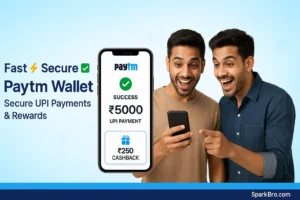

Paytm Wallet – The Real King of Secure UPI Payments in 2025!
Paytm Wallet: Should every digital user try this?
Just think: “Sending money from home, paying bills, booking tickets… and getting cashback on top of it!” — sounds quite tempting, right?
If you are also thinking: “Which is the safest option of UPI?” or “How to manage everything from a single app?” — then brother, the name of Paytm wallet comes at the top of the list.
This is not just a wallet app; it is your all-rounder of digital payments, which makes transactions fast, secure, and reward-full. Let’s see: what can this app do for you… and why is it so popular even in 2025.
Paytm Wallet: Features that will come in handy every day
Paytm is not a simple UPI app; it has such features that are useful for every type of user – whether you are a freelancer, a student, or a shopping lover.
- Instant UPI Transfers: Sending money to any bank account is a matter of just a few seconds.
- All-in-One Bill Payment: Electricity, water, gas, mobile recharge – everything in one place.
- Shopping & Tickets: Movie tickets, train, flight – book everything directly from Paytm.
- Paytm Wallet Balance: Add Funds and make instant payment – no hassle of small things.
- Cashback & Offers: Get rewards on every recharge or shopping – because who doesn’t want extra?
- Secure Transactions: App lock, UPI PIN and Paytm’s fraud detection system.
- QR Code Scan: Be it a tea stall or a mall store – scan it; pay.
- Extra Services: Buy Gold, mutual funds, insurance – one app; multiple things.
Paytm Wallet – How to Use it? Step-by-Step Guide
Step 1
- Download the Paytm app from Play Store or App Store
Step 2:
- Enter your mobile number (linked to your bank) and verify with OTP.
Step 3:
- Add your bank account and set your UPI PIN.
Step 4:
- Add funds to Paytm wallet – via debit/credit card or net banking.
Step 5:
- Pay by scanning QR code or selecting contact.
Step 6 (Optional):
Don’t forget to check cashback rewards and vouchers – this is real fun
SparkBro Link Tip:
Battery drains a lot? Check out Best Battery Saver Apps for Android 2025.
Paytm Wallet – Pros & Cons
Pros
- Fast UPI transactions;
- Accepted everywhere;
- Rewards & cashback system;
- Multiple services in one app;
- Strong security features.
Cons
- Cashback is mostly available in vouchers;
- Sometimes bugs after app updates;
- International payments limited.
FAQs: Paytm Wallet & UPI Payments
Q1: Is Paytm wallet free?
A: Yes, basic features are free; premium services may incur fees.
Q2: Is Paytm safe?
A: Absolutely! It is RBI-regulated; and uses encryption technology.
Q3: Can I use Paytm wallet without a bank account?
A: Yes, but only by adding wallet balance; bank account is required for UPI.
Q4: Is cashback real money?
A: Sometimes direct in bank; but mostly in vouchers.
Q5: Can ticket booking be done through Paytm?
A: Yes! Movies, flights, trains — everything is possible.
CTA – Download Paytm Wallet today & enjoy a cashless life!
when you can do everything with just one app; then why bother with different apps?
- Download Paytm app from play store or app store
- Link your bank or add wallet funds;
- Enjoy secure UPI payments & rewards!
SparkBro Tip:
“The time of standing in line to pay bills is gone; with Paytm wallet you can pay in just one tap — and maybe even sip a cup of tea while the transaction is complete!”
Final Verdict – Paytm Wallet in 2025
In this era of Digital India, when everyone is making online payments – having a trusted option is a must. Paytm wallet has made its place with its:
- Easy interface;
- Multiple services;
- And solid security.
So brother, if you want a simple, fast, and reward-full payment app – Paytm wallet is a must have in your phone.
Presented by SparkBro.com
Real reviews about apps, in my own words.