

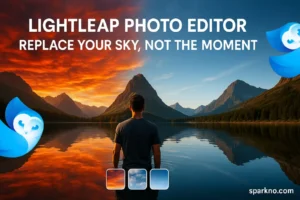

Lightleap Sky Replacement Photo Editor – A Day of Sky Change in One Tap!
If you have ever felt that your pictures are amazing but “the sky looks a bit dull”, then you are not alone! The app we are going to talk about today can take your pictures literally “sky high”. Yes, we are talking about: “Lightleap by Lightricks”, a powerful and smart photo editing app.
The main magic of this app is the sky replacement feature which transforms boring skies in just a tap; without the hassle of Photoshop!
Lightleap Sky Replacement Photo Editor – Features That Will Blow You Away
Lightleap by Lightricks has a ton of features, but the most popular and game-changing feature is its “Sky Replacement” tool. Let’s take a look at some jaw-dropping features:
- Sky Replacement: Replace dull, boring, or cloudy skies with stunning sunsets, clear blues, or even dramatic storm clouds in just a tap.
- Heal Tool: Easily remove unwanted logs, cheese, or distractions.
- Filters & Presets: Give your photos a professional touch with presets like “Golden Hour”, “Urban”, or “Cinematic”.
- Adjustments: Custom-style adjustments for brightness, contrast, saturation, etc.
- Selective Editing: Make edits only in specific areas; like enhancing the sky.
All these features seem like they come from desktop software, but the Lightleap app delivers it all on mobile; with a fast, smooth, and easy-to-use interface.
Lightleap Sky Replacement Photo Editor – How easy is it to use?
You must be thinking, “There are so many features; it won’t be difficult?” Not at all! Lightleap’s UI is very user-friendly. Here’s a step-by-step guide:
- Open the app: First of all, open the app and select a photo from your gallery.
- Choose the Sky Tool: Tap on the “Sky” tool from the tools given below.
- Select Sky: Now you will get multiple sky options — sunny, dramatic, dusk, night, and even aurora!
- Make Adjustments: Tweak the blend, fade, and brightness of the sky so it looks real.
- Save & Share: Save the final image or share it directly on Instagram, Facebook!
Looking for a powerful alternative? Discover CapCut’s features here. Click to Read
Pros & Cons – The truth of Lightleap Sky Replacement Photo Editor
Pros:
- “One-tap sky replacement” – lightning fast and realistic results.
- Powerful healing and retouch tools.
- Lots of options available even in the free version.
- AI-based auto adjustments save time.
- No watermark on saved photos in basic version.
Cons:
- Some premium skies and filters are available only in the Pro version.
- Consumes a little more RAM on Android.
- Internet is required to load some assets.
FAQs – Your Questions, Our Answers
Q1: Is Lightleap app completely free?
A: No, basic features are free, but some advanced tools and filters come in the Pro version.
Q2: Can this app be an alternative to Photoshop?
A: Absolutely for casual and mobile editing. It does not have as much detailing as Photoshop, but is ahead in terms of speed and ease.
Q3: Does the photo look real after replacing the sky?
A: 100%! AI blending is so smart that even you yourself cannot believe that the sky is not real.
Q4: On which platform is Lightleap available?
A: It is available for both Android and iOS platforms.
Final Verdict – Is Lightleap Sky Replacement Photo Editor Worth it?
If you are a casual photographer or an Insta-lover who wants to bring wow factor in every picture, then Lightleap sky replacement photo editor is a must have in your phone. Sky replacement is not just a feature; it is a complete mood enhancer. Whether you want to transform a selfie clicked on a boring cloudy day into a sunset, or want to make a dull landscape look more alive – Lightleap delivers every time.
CTA – Try Lightleap now!
If you too want to bring cinematic feels in your photos, then why delay? Download Now Lightleap by Lightricks:
Download Link (Android):
Lightleap by Lightricks – Play Store
Download Link (Apple):


One thought on “Lightleap Sky Replacement Photo Editor – Change the sky in one click!”