

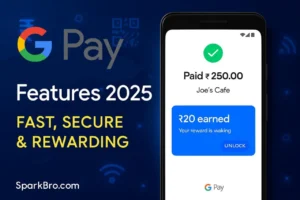

Google Pay Features – The Real Hero of Digital Payment in 2025!
Google Pay Features: Why should every smart user use this app?
If you are also thinking: “What is the fastest way to send money?” or “How to deal with bills without waiting in line?” — then brother Google Pay features can be a game-changer for you!
This is not just an app — it is your daily financial partner that makes you tension-free in money matters. Let’s discuss what this app can do for you… and yes, you will be surprised to hear it
In today’s blog, we will know:
What is Google Pay; what are its top features; how to use it step-by-step; and how relevant is this app in 2025.
Google Pay Features: Things that will come in handy every day!
Google Pay is not a common UPI app. Its features are useful for every kind of user – whether you are a freelancer, a student or just a person who clears monthly bills.
Let’s see its amazing features:
- Instant Bank Transfer: If you want to send money to any bank, just 3 seconds and the job is done!
- No Wallet Reload Chakra: It connects directly to your bank – no more hassle of recharge.
- Scan & Pay: Be it a cafe or a small grocery shop – scan the QR, make the payment, and chill.
- Bill Payments: Electricity, water, gas, net – pay all the bills from one place.
- Online Shopping: Swiggy, Zomato, Flipkart – everywhere Google Pay is accepted.
- Scratch Cards & Rewards: You will get a surprise cashback gift with every transaction.
- Top-Notch Security: UPI PIN, fingerprint, and Google’s security – completely safe!
- Multi-Language Support: English, Hindi, spanish — use the app in whichever language you want.
How to use Google Pay? Step-by-Step Guide that will not confuse you
If you are new and have just become friends with technology — don’t worry, follow these simple steps:
-
Step 1:
Download Google Pay app from Play Store or App Store.
-
Step 2:
Enter mobile number (linked to bank) and verify OTP.
-
Step 3:
Set your secure UPI PIN — easy peasy.
-
Step 4:
The app will detect the bank itself — just have to confirm.
-
Step 5:
So what, let’s get started:
- Send money
- Scan QR
- Check balance
- And pay bills – all in the app.
-
Is the battery being consumed too much So definitely check: Best Battery Saver Apps for Android 2025
Google Pay Features – Tools to make everyday life super easy
When everything has become fast in 2025 – your payment method should also be turbo! Google Pay is perfect because:
- Money transfer in seconds
- No tension of card, no worry of cash
- Full transaction alert system
- All bills in one place
- Is it fun to get cashback without spending?
FAQs: Common questions about Google Pay features
Q1: Is Google Pay free?
A: Absolutely! There is no hidden charge – the app is totally free.
Q2: Is a bank account necessary?
A: Yes brother! Google Pay works directly from the bank – it will not work without an account.
Q3: Is Google Pay safe?
A: 110% safe! Google security + UPI encryption = great combo.
Q4: How do you get cashback?
A: When you make a transaction, the app gives you a scratch card – sometimes you win ₹10, sometimes ₹100.
Q5: Can this be used for business?
A: Yes! You can manage your small or big business by creating a Merchant QR code.
CTA – Download Google Pay now and start a smart payment life!
If you are also thinking “if only making payment was this easy” – then bro, Google Pay is already waiting for you.
- Download from Play Store or app store
- Create an Account in 5 minutes
- Enjoy a smart life with Google Pay features
SparkBro Tip:
“If you always forget your wallet or are worried about change – now is the time to be smart. Make every payment with Google Pay; get cashback too; and save time too!”
Final Verdict – Google Pay Features are really a must-have!
Nowadays when everyone is working online, doing freelancing, shopping – your payment style should also be digital and smooth.
Google Pay provides features like:
- Speed,
- Simplicity,
- Safety — and yes, a little surprise reward too
download Google Pay now. Tell your friends too. Make payments without any interruption. And enjoy a cashless smart life — as it should be in 2025!
Presented by SparkBro.com
Real reviews about apps, in my own words.


Thanks for this Guide 🙂